
Please login into Million Payroll System and follow these steps :
- Go to Employee, Select Deduction

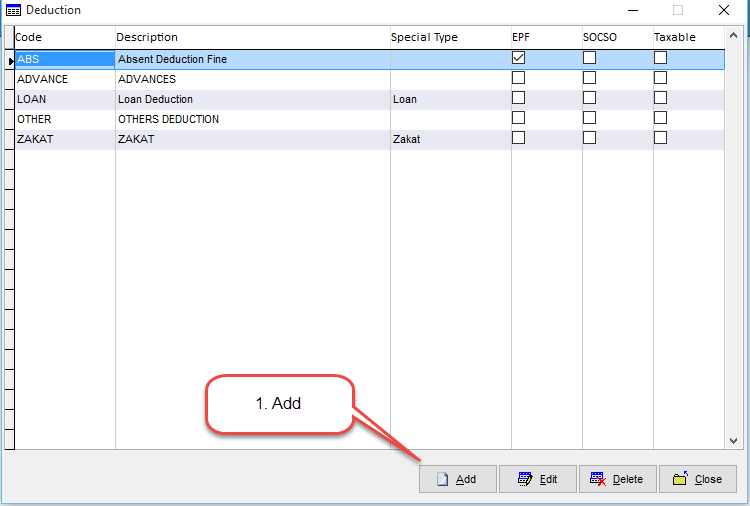
- Click Add
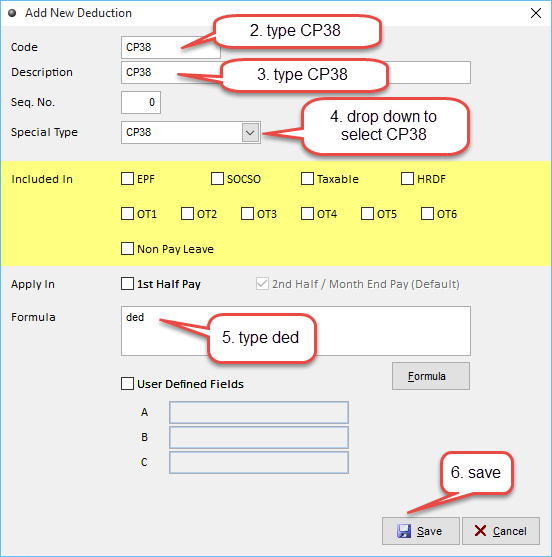
- Key in the Deduction Information, eg. Deduction Code, Description, Special Type, Formula and etc.
- Click Save to complete
- Your Deduction has been created
- Transaction --> Payroll --> Add --> Enter the rate of CP38 on allowance&deduction tab
- Process Pay
Related Topic :-