
Please login into Million Payroll System and follow these steps :
- Go to Transaction, Select Payroll


- Click Add

- Select the Payroll Month and Payroll Type
- Click Save

- Select the Employee that you want
- Click Edit
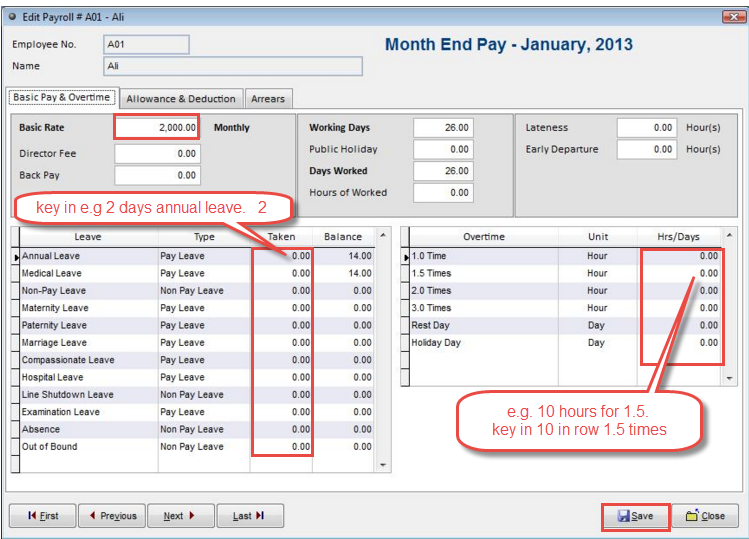
- Maintain the Payroll Transaction, eg. Day Worked, Public Holiday, Annual Leave,
Medical Leave, Overtime and etc.
- Go to Allowance & Deduction

- Maintain the Allowance and Deduction
- Click Save

- Tick the Employee that you want to do the process pay
- Click Process Pay

- Click OK
Related Topic :-
- How To Update Annual Leave Entitled
- How to Maintain EPF, SOCSO, Income Tax, Amanah Saham National (ASN) and Tabung Haji Profile
- Your Payroll Transaction has been done
For more information, please watch our video tutorial of
How To Create And Process Payroll