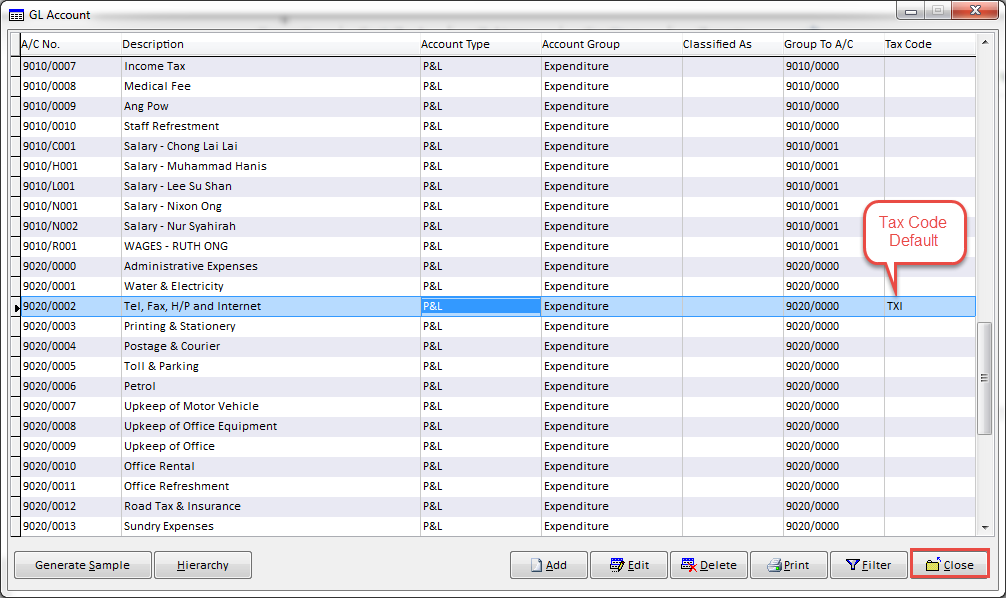
How to set default tax code in GL Chart of Accounts
Please login into Million Stock Control System and follow these steps :
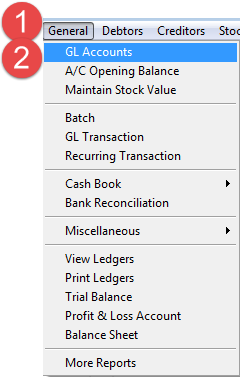
1. General - > 2. GL Accounts
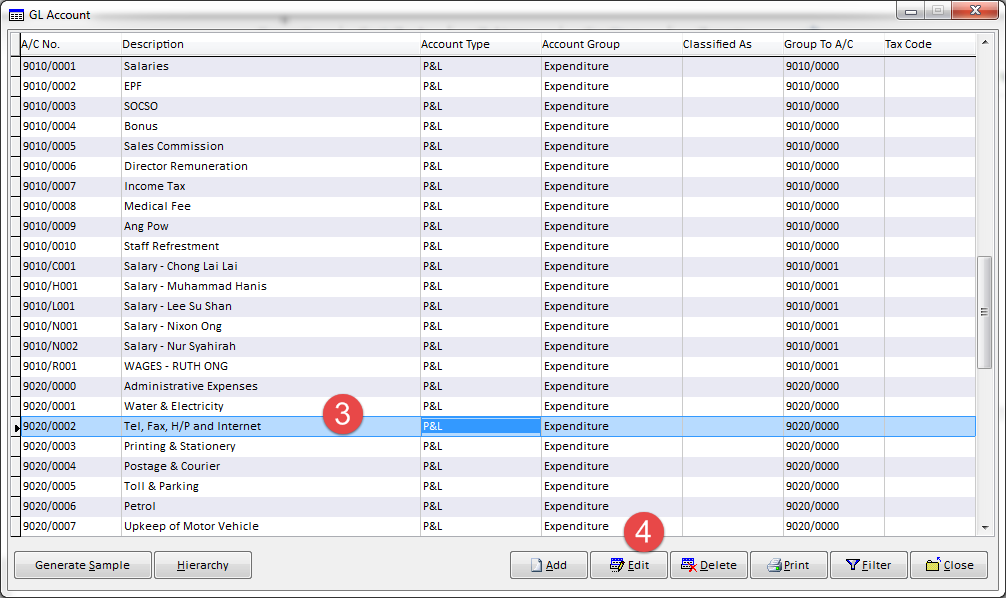
3. Highlight ( Select the A/c ) -> 4. Edit
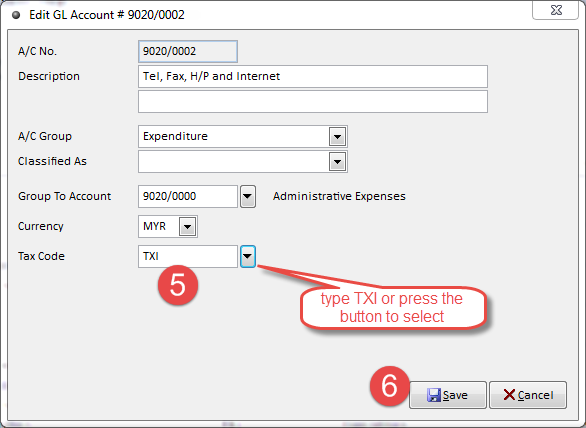
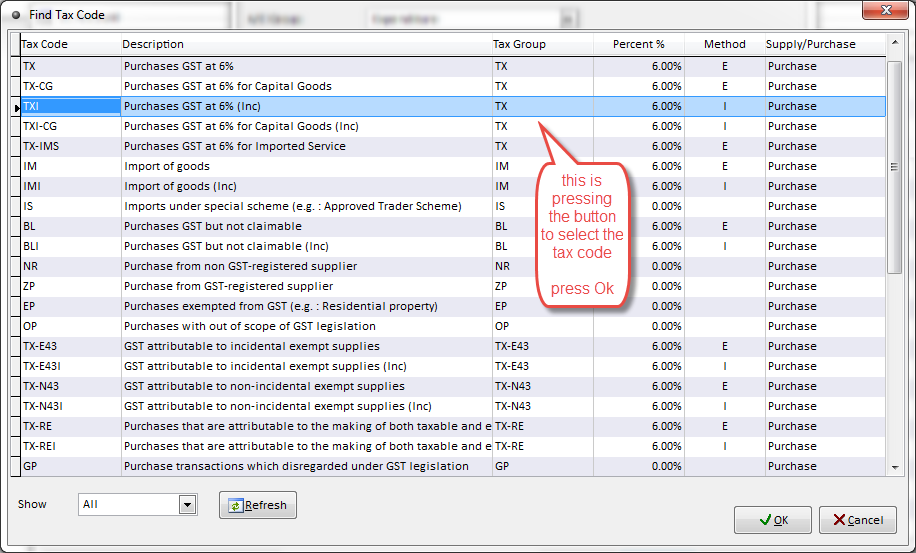
5. type the Tax code or Pressing the Button to Select the Tax Code -> 6. Save
the below chart - to select the Tax Code -> Press Ok
Tax Code is Default