
Please login into Million POS System and follow these steps:
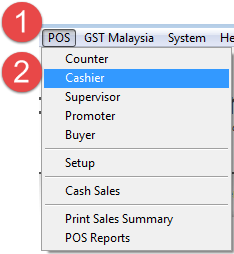
- Go to POS 2.
- Cashier.
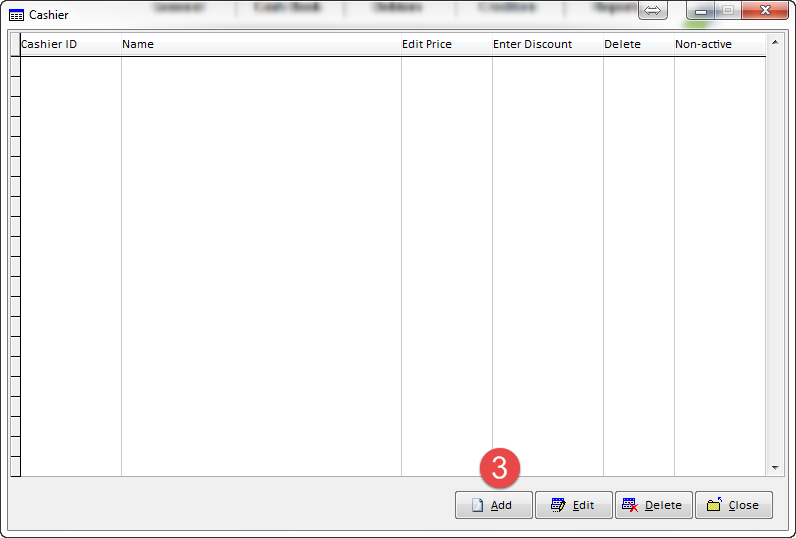
- Add.
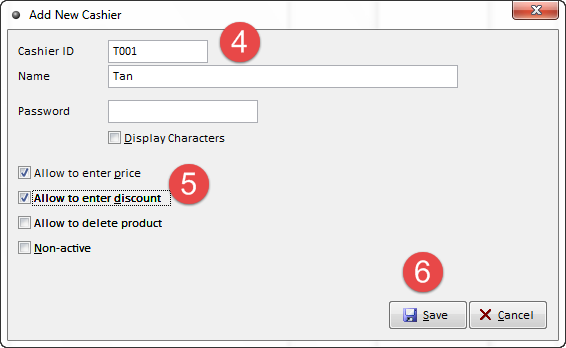
4. Add Cahier - Enter cashier information.
Notes :- One computer can add more than one cashier
** :- Password - e.g I/c no , ID no and etc
801212101231
5. Tick on the functions (optional).
6. Click on Save.
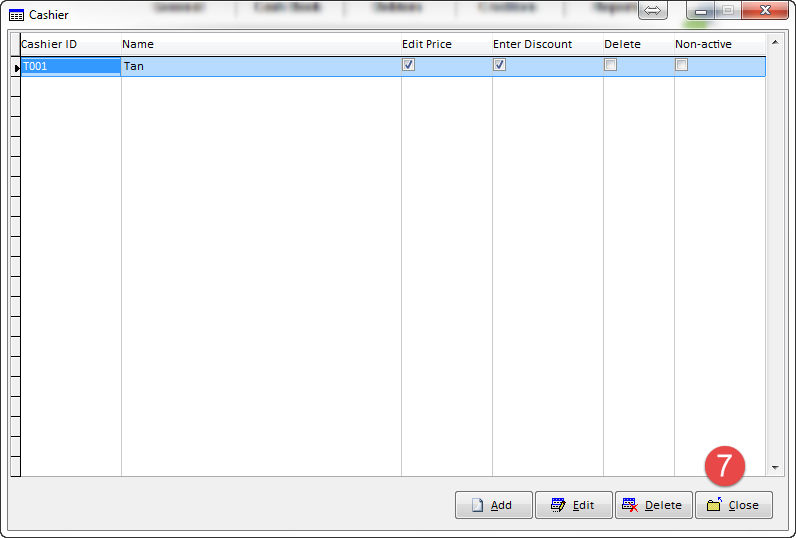
7. Successful Created A New Cashier
Notes :-
|
Allow to enter price |
Select this option to allow cashier enter different product price |
|
Allow to enter discount |
Select this option to allow cashier enter different product discount |
|
Allow to delete product |
Select this option to allow cashier delete product |
|
Non-active |
Select this option and cashier ID is unable login into POS system |