
Please login into Million Accounting System and follow these steps:
- Go to General, Select GL Accounts

- Click Add button
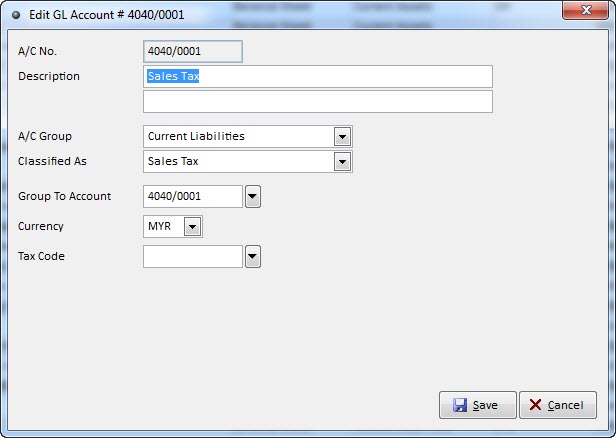
Sale Tax Account
Service Tax Account
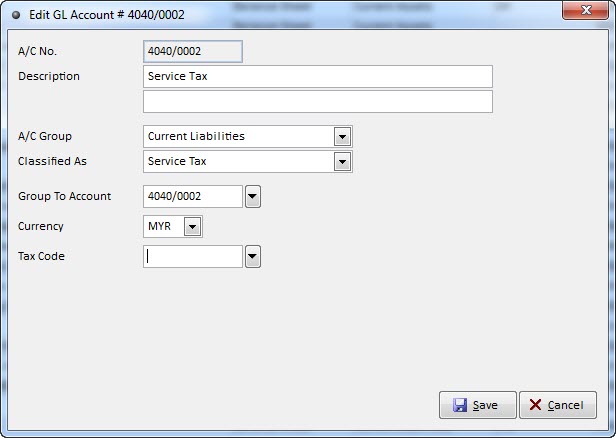
- Maintain A/C No., Description, A/C Group, Classified As, Group To Account.
- Click Save.
- For more information, please watch our watch our video tutorial of How To Create GL Accounts Use Add