
Please login into Million Accounting System and follow these steps :
- Go to Debtors, select Debtor Maintenance


- Click Add to add new debtor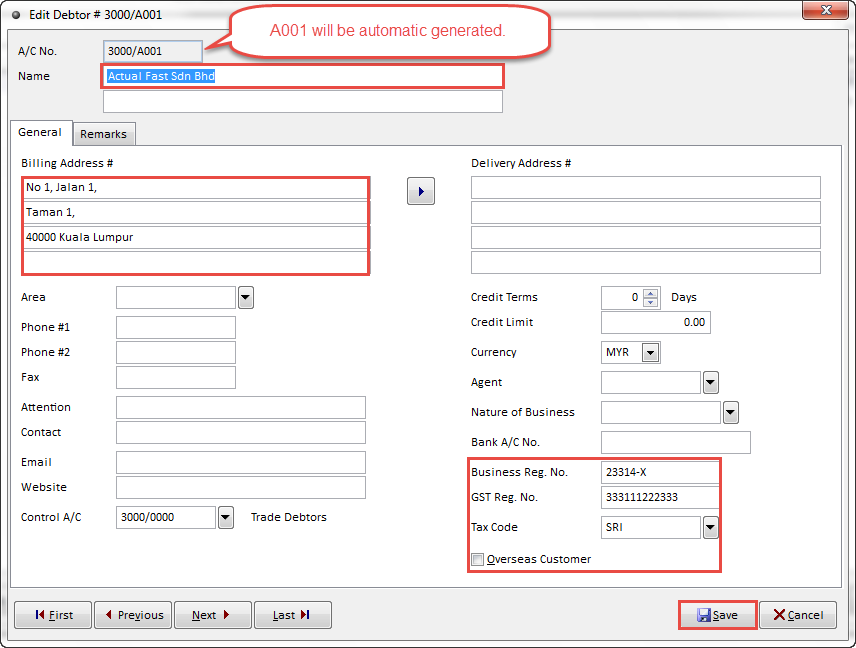
- Enter the debtor information like A/C No, Name, Billing Address , Business Reg.No, GST Reg. No and etc.
- Click Save to complete
- Your debtor profile has been created
Related Topic :-
For more information, please watch our video tutorial of How to Add New Debtor