Step 2: Web Management Maintenance
Step 2.1 : Maintain Store and Outlet
This is to maintain store (HQ) information and other outlet (branch) information.
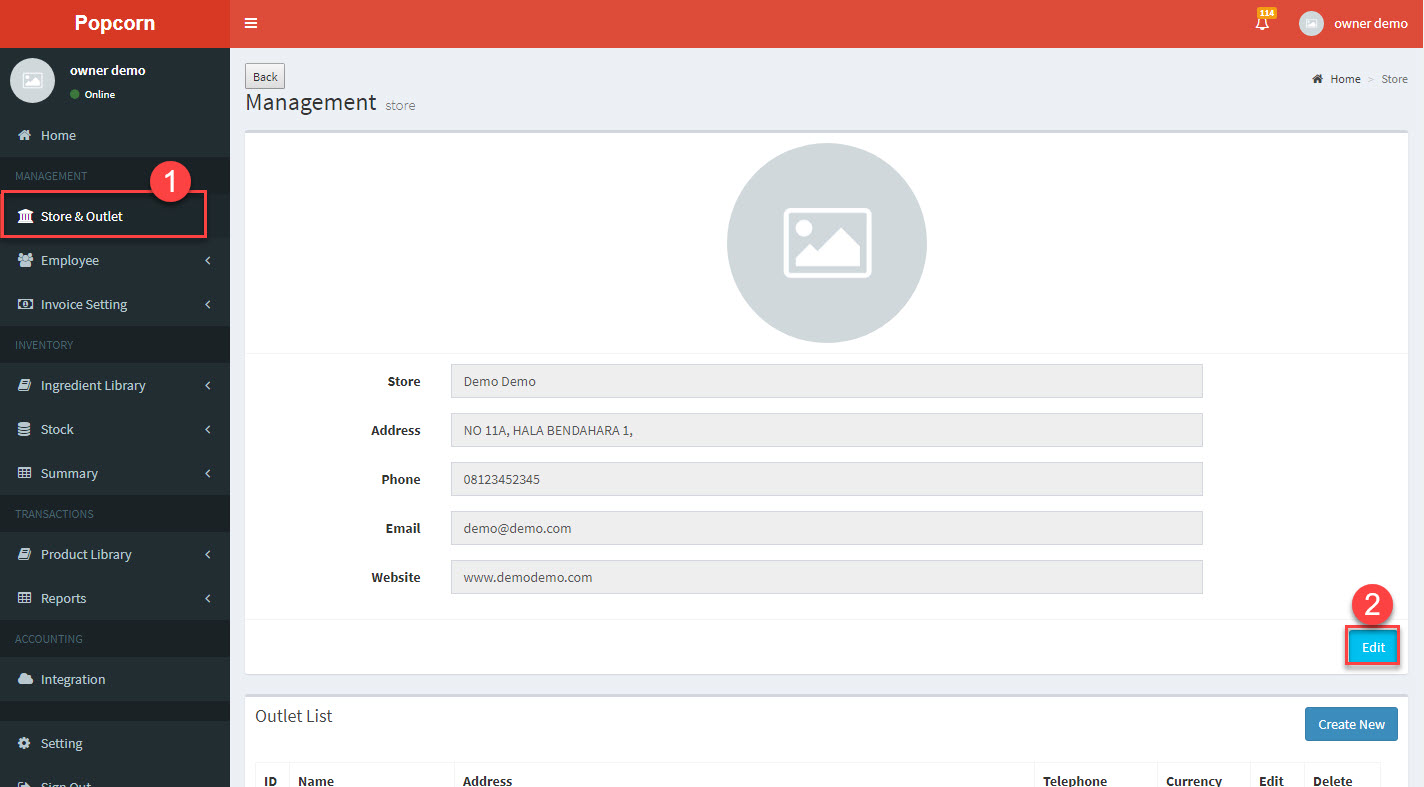
1.Once enter, click on Store and Outlet -> 2.Click Edit to maintain Store (HQ) information
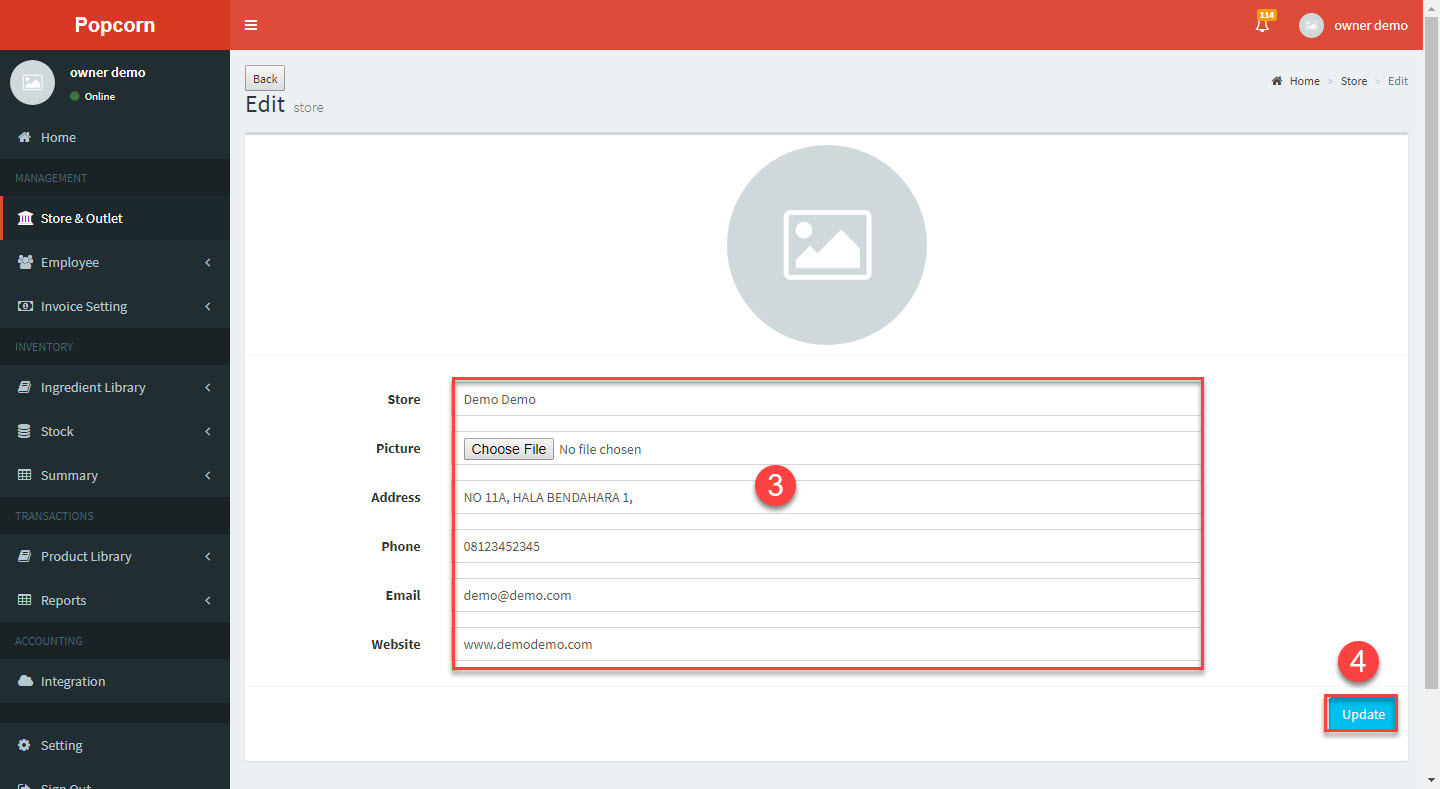
3.Enter / Update the Store (HQ) information -> 4.Click Update
Step 2.2 : Maintain Branch Store / Outlet
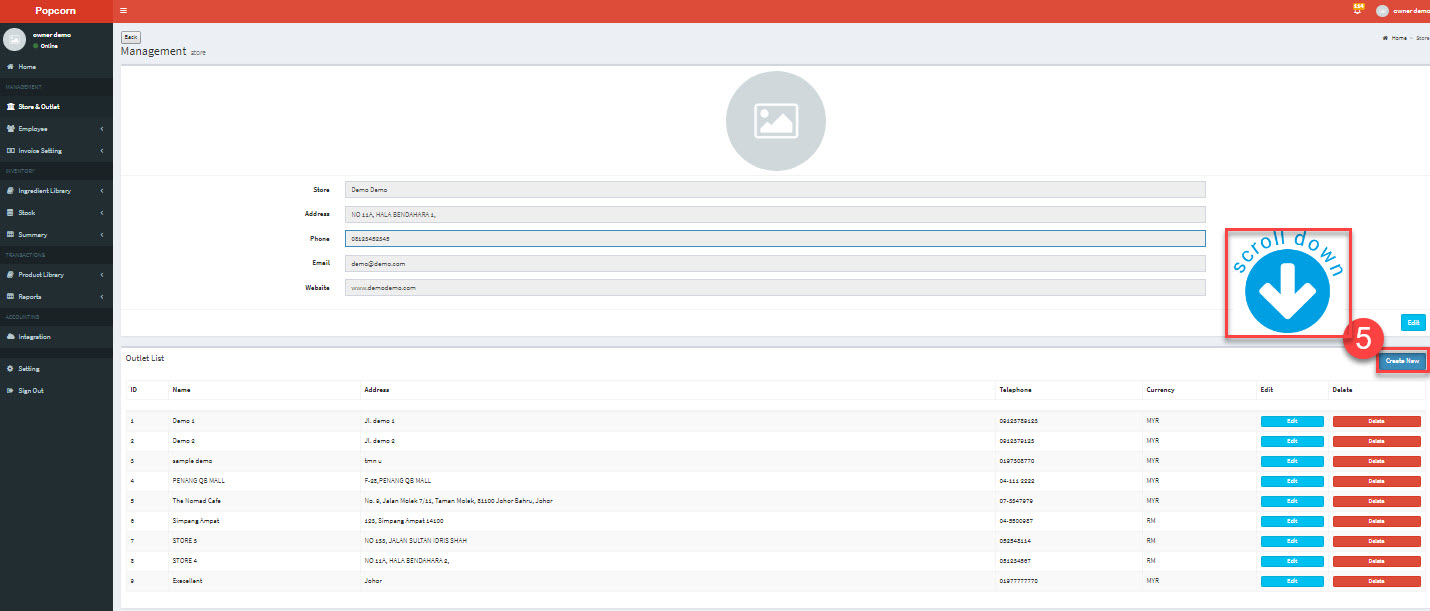
5.To add a new Outlet (branch), click on Create New
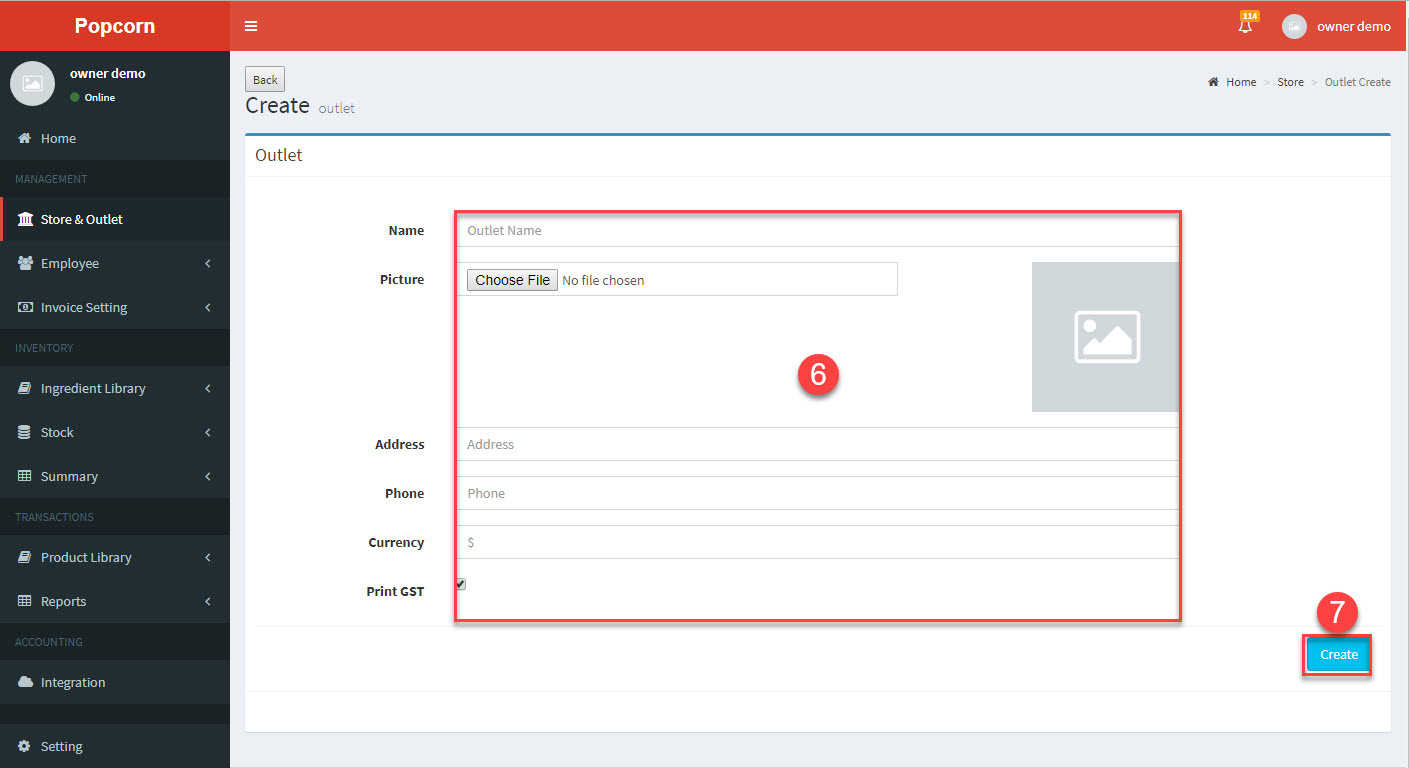
6.Enter new outlet information -> 7.Click Create
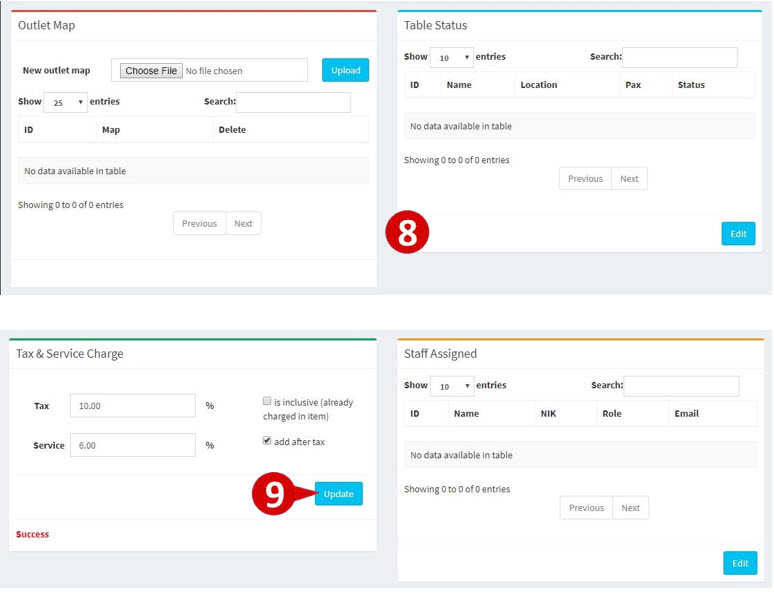
8.User able to upload location map and view table status -> 9.Set Tax and Service Charge percentage, click Update