
Please login into Million Accounting System and follow these steps :
- Go to System, select General Setup
* For year end closing ( must be closing year by year )
e.g. if you started from 01-01-2015 to 31-12-2015
01-07-2015 to 30-06-2016
provided your accounting period is 18 months
01-01-2015 to 30-06-2016
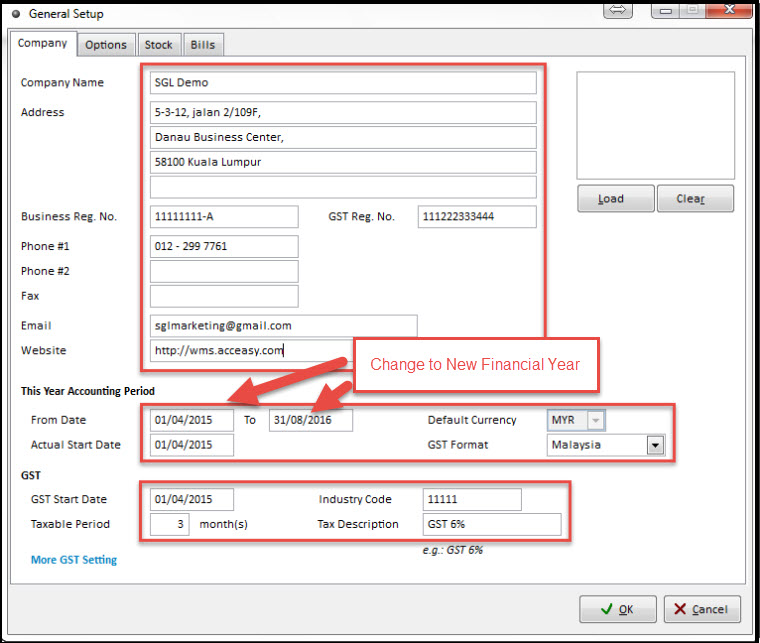
- Enter your company information like Company Name, Accounting Period , GST and etc.
- Click OK to save
- Your company profile has been completed
For more information, please watch our video tutorial of How to Maintain Company Profile
Related Topic :-
- How To Create A New Company
- How To Create GL Accounts - Generate
- How to Generate Batch
- How To Add or Generate GST Code
